Part 1 described what a data center does. This installment opens the box. Past the security and the cooling, a data center comes down to a few kinds of hardware repeated thousands of times over, and understanding those few pieces is enough to understand almost any facility.
The Server and the Rack
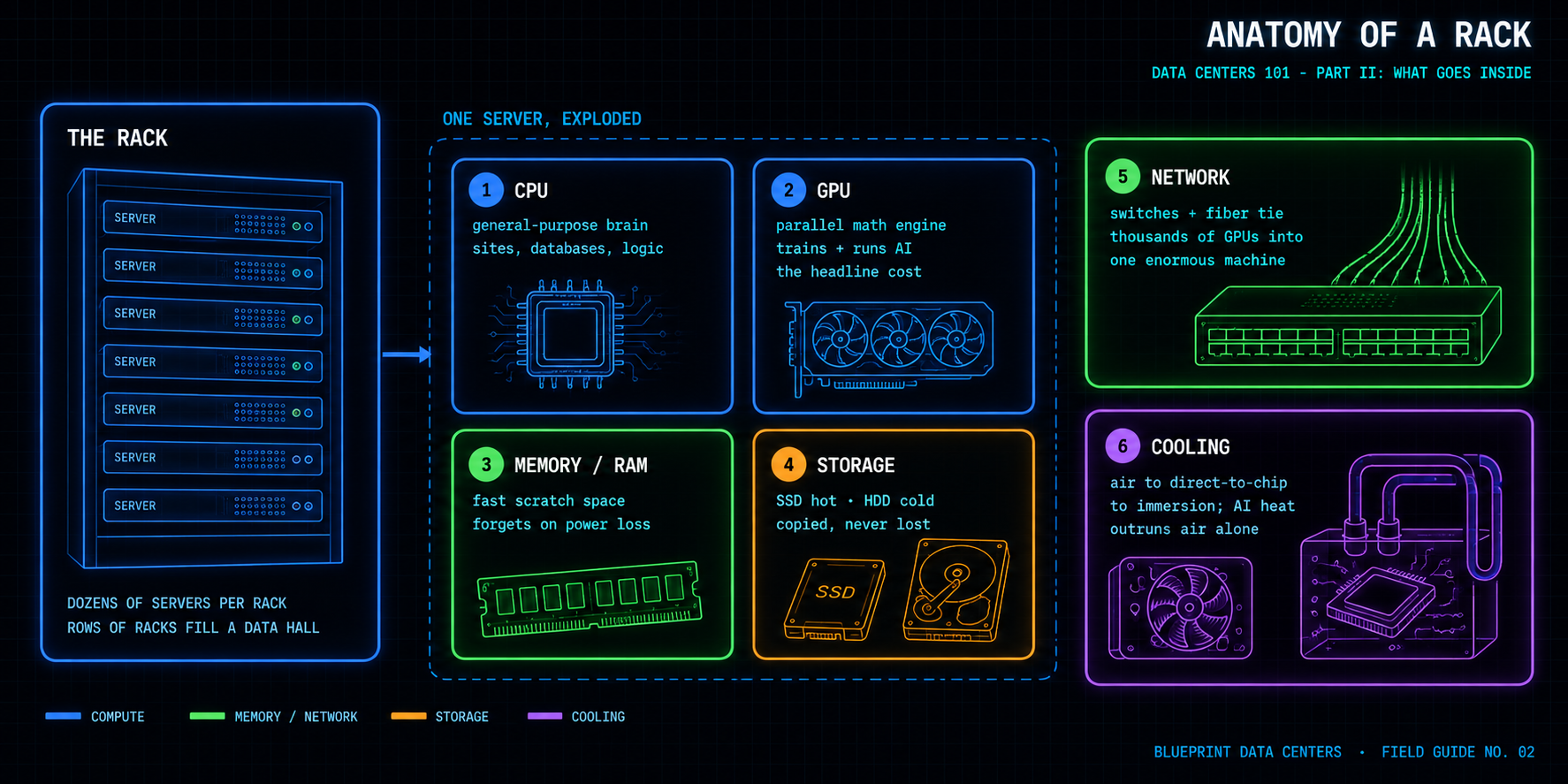
The basic worker is the server, a computer with no screen or keyboard, built to run nonstop and be managed from afar. Each server is itself a small bundle of the same parts: one or more processors, memory, some local storage, and a network connection, packed into a slim case designed to slide into a rack and be swapped out quickly when it fails. Servers stack horizontally in tall steel frames called racks, with dozens to a rack. Rows of racks fill large rooms called data halls, and a single large facility can hold tens of thousands of servers. Everything else in this article lives inside that simple unit.
The Brains Come in Two Kinds
Every server runs on processors, and today two kinds matter. The CPU, or central processing unit, is the general-purpose brain that has run computing for decades. It handles a wide variety of tasks one after another and still does most everyday work, from running websites to managing databases. The GPU, or graphics processing unit, works differently: it performs many simple calculations at the same time. It was first built to draw video game graphics, but that ability to work in parallel turns out to be exactly what artificial intelligence needs, because training and running AI models is mostly the same simple math repeated billions of times. That is why the AI boom is really a GPU boom. In an AI facility the GPUs are the headline cost, often far more expensive than the building that houses them, which is why so much of the design exists simply to keep them fed with power, data, and cooling.
Memory and Storage
Two kinds of remembering sit beside the processors. Memory, often called RAM, is the fast, temporary workspace a processor uses while it is actively working; it is quick but loses everything when the power goes off. Storage is the permanent record, the files and databases that have to survive. Storage itself comes in two main forms: solid-state drives, which are fast and have no moving parts, hold the data used most often, while hard disk drives, which are slower but cheaper, hold the vast archives that are rarely touched. At the scale of a large facility this storage is measured in petabytes, the equivalent of millions of high-resolution movies, spread across many machines and copied so that a single broken drive never loses anything.
What Ties It Together
None of this is useful in isolation. Network switches and a dense web of cables, increasingly fiber-optic, connect every server to every other and to the outside world. In an AI cluster this internal wiring matters enormously, because thousands of GPUs must talk to each other constantly and at very high speed to train a single model. The connections between the chips can be nearly as important to performance as the chips themselves, which is why an AI cluster is often described less as a room full of computers and more as one enormous computer assembled from thousands of parts.
Keeping It Cool
All of this hardware turns electricity into work and, unavoidably, into heat. For most of the industry's history a powerful air-conditioning system was enough. AI changed that. A rack of AI chips can produce more heat in a small space than air can carry away, so operators are turning to liquid cooling. The most common new approach, direct-to-chip cooling, pipes coolant straight to a plate sitting on the hottest chips. A more aggressive method, immersion cooling, submerges whole servers in a special fluid that does not conduct electricity and absorbs heat directly. These methods sound exotic but are quickly becoming standard wherever AI hardware is installed, because air can no longer keep up. Heat is the enemy of electronics, and removing it is not a side task: cooling can consume a large share of the energy a data center uses, which is why making it more efficient is one of the industry's central engineering problems.
What It Comes Down To
Put it together and a data center is thousands of servers, full of CPUs and GPUs, backed by fast memory and layered storage, stitched together by high-speed networking, and kept alive by ever more capable cooling. Each piece is simple on its own; the difficulty, and the expense, is in running so many of them together. Part 3 turns to the one ingredient all of it depends on: power.
This is the second article in Data Centers 101, a Blueprint Data Centers series explaining how modern data centers work, from the hardware inside them to the power that runs them. Blueprint is an independent data center platform developing greenfield data centers designed with flexibility to support a range of use cases including high-performance computing, AI and other advanced workloads. Follow Blueprint for more on the infrastructure behind the digital economy.

